Local stacks
A cluster’s Grafana talks to that cluster’s Prometheus and keeps working if Astronomer is down.
ASTRONOMER PRODUCT / OBSERVABILITY & RECOVERY
Astronomer manages the monitoring, alerting and logging pieces you choose on each cluster, gives the fleet one inbox for alerts, routes events to the systems you already use, and treats backup as something you prove, not something you assume.
Alpha · Backends and retention depend on the topology you choose01 / MONITORING
Each cluster can run its own monitoring stack, managed from Astronomer, with its own Prometheus and optional Grafana. Shared stacks add a fleet view on top: Thanos for metrics, Alertmanager and a fleet Grafana with folders for the management plane and each cluster.
A cluster’s Grafana talks to that cluster’s Prometheus and keeps working if Astronomer is down.
Thanos, Alertmanager and Grafana as shared families. Fleet Grafana is reached through Astronomer with cluster-scoped queries.
Point Astronomer at existing monitoring endpoints instead, and add dashboard widgets, query widgets and saved views.
A hosted Loki for fleet logs is optional and off by default; a sizer checks the management cluster has room before it is enabled. Retention and capacity depend on the topology you choose.
02 / ALERTING
Alert rules are defined on each cluster. Threshold rules fire when a value crosses a limit. Anomaly rules learn a rolling baseline per cluster and metric and fire on deviation, with a minimum-sample gate so a new rule does not fire on its first data point.
The fleet inbox collects firing alerts, history, silences and inhibitions, and routes them to Slack, email, PagerDuty, Microsoft Teams or a generic webhook.
03 / LOGGING
Pipelines are configured on each cluster, with namespace selection and filters, and route to shared destinations. Astronomer is explicit about what it can query and what it only ships.
| Destination | From Astronomer | Notes |
|---|---|---|
| Loki | Query from Astronomer | Tenant-scoped query of the system Loki |
| OpenSearch and Elasticsearch | Query from Astronomer | Adapters with timeouts and response limits |
| Splunk | Query from Astronomer | Credentialed adapter |
| Datadog and CloudWatch | Deep link | Astronomer opens a safe link into the provider |
| S3 and syslog | Shipping only | Logs are delivered; there is no query |
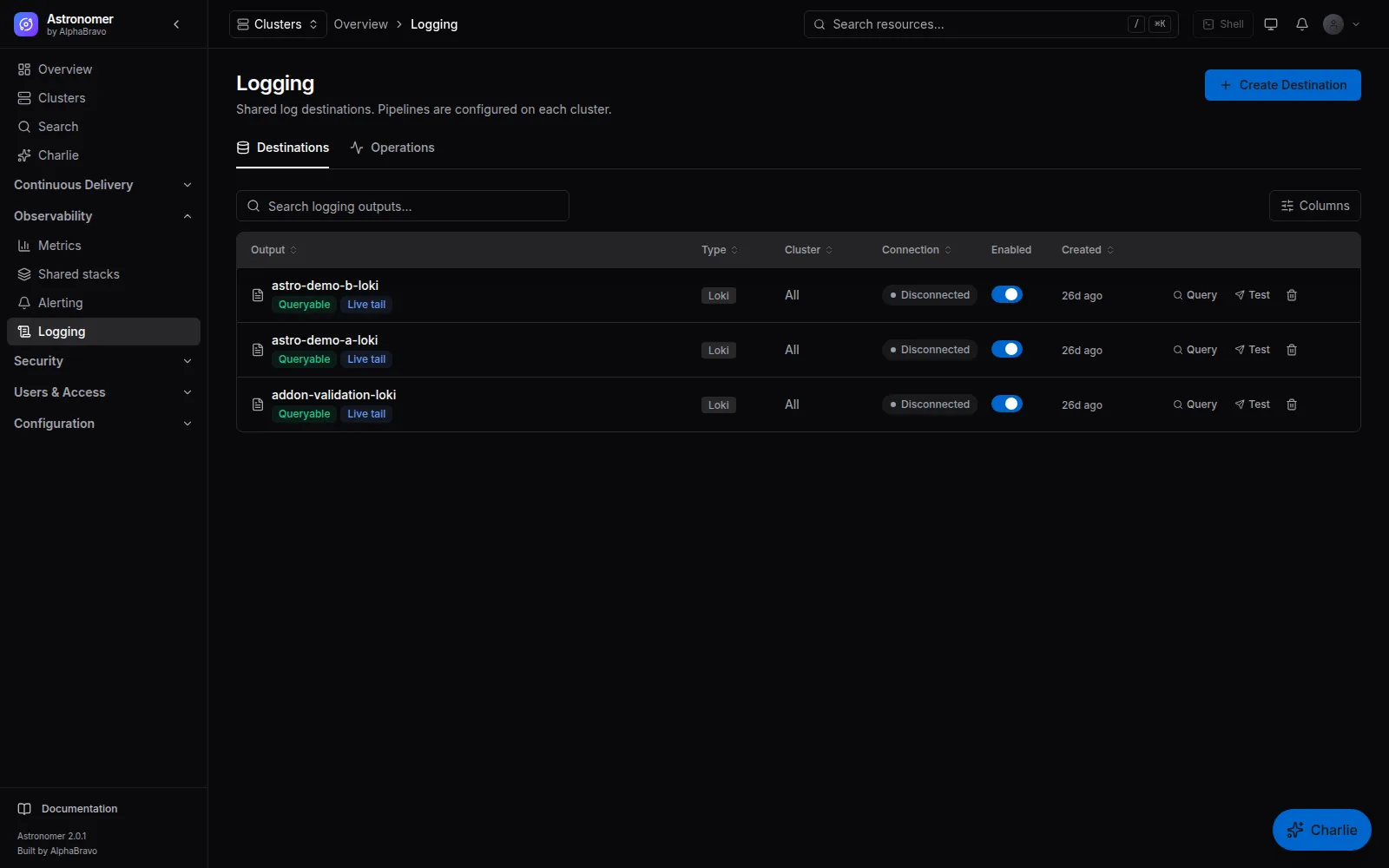
Pod logs stream live from the cluster explorer through the agent, separately from pipelines.
04 / INTEGRATIONS
Syslog over UDP, TCP or TLS, Splunk HEC and NDJSON over HTTPS, in RFC 5424, RFC 3164, CEF or NDJSON format.
Outbound webhooks for fleet events, with configurable payloads, retries and delivery tracking.
Transactional email through your SMTP server, with editable notification templates.
Support bundles export diagnostics with redaction. Queue, dead-letter and outbox views show background work that is waiting or failed.
05 / BACKUP AND DISASTER RECOVERY
Member clusters. Install Velero from the catalog, configure S3, MinIO-compatible, GCS or Azure Blob storage, then take snapshots and schedule them from the cluster’s Snapshots page, including CSI volume snapshots. Restores are tracked as runs.
The management plane. Once S3-compatible storage and credentials are configured, a nightly job dumps Astronomer’s PostgreSQL. A weekly drill restores the latest dump into a scratch PostgreSQL, checks the schema and row counts, and records the result. An alert fires if no drill has succeeded in 14 days.
Key custody is part of recovery: the encryption key must match the database you restore. A release claim needs your own restore rehearsal and storage durability evidence.
FAQ
No. The automatic baseline only adds kube-state-metrics and the node exporter when Quick Start is selected. Monitoring stacks, Loki, Grafana and logging are choices, and you can point Astronomer at endpoints you already run. #
Cluster Grafana keeps working against its own Prometheus. The fleet Grafana is reached through Astronomer and is unavailable while Astronomer is down. #
Astronomer manages Velero snapshots, schedules and restores on member clusters. Recreating the cluster itself is your provisioning tool’s job; Astronomer then adopts it and delivers to it again. #
NEXT STEP
Tell AlphaBravo what you run today. We will show you the workflows that matter to your team.