Alert on silence
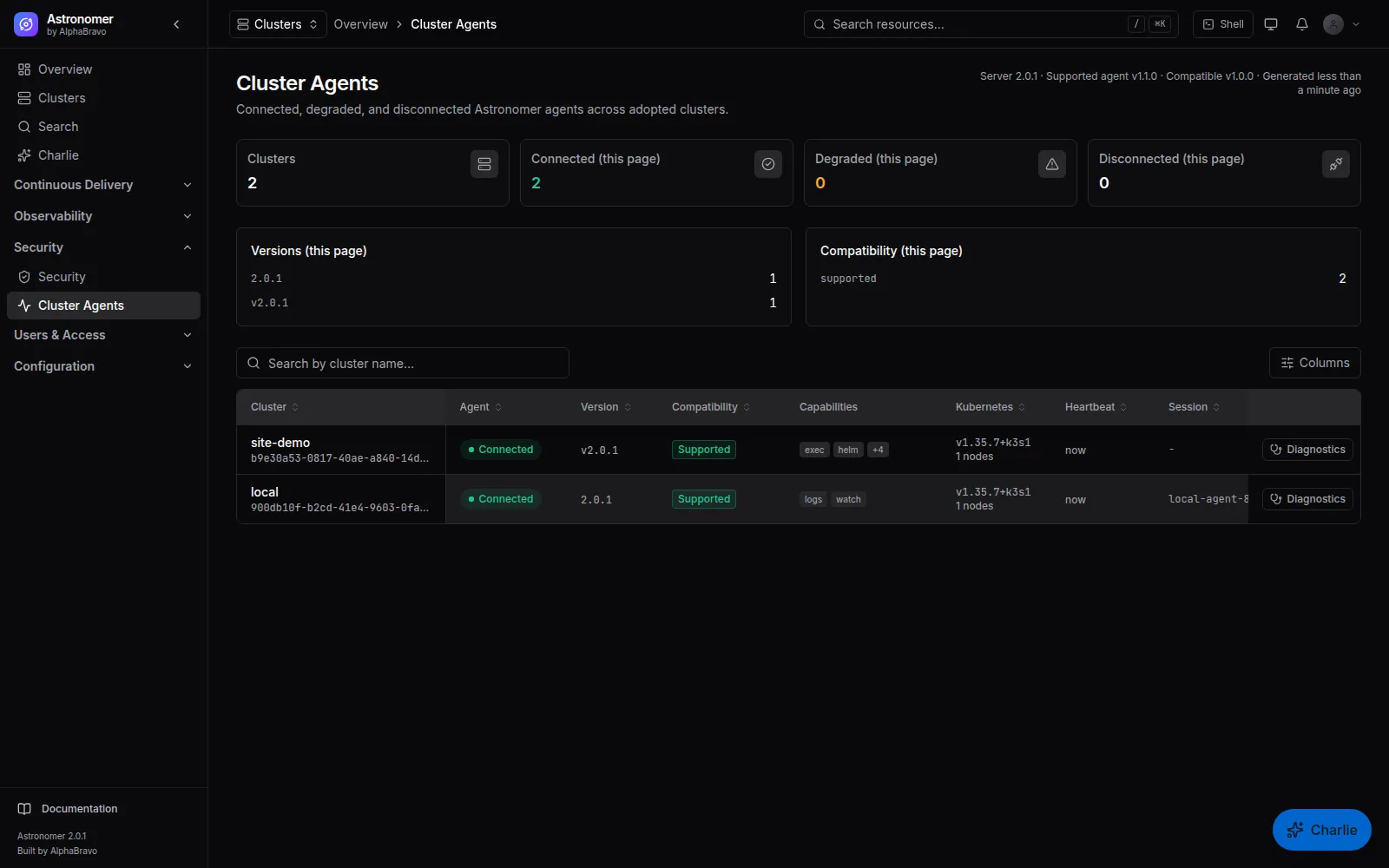
An agent that stops reporting raises a disconnected alert, with runbooks for one cluster or a mass disconnect.
ASTRONOMER PRODUCT / FLEET & ADOPTION
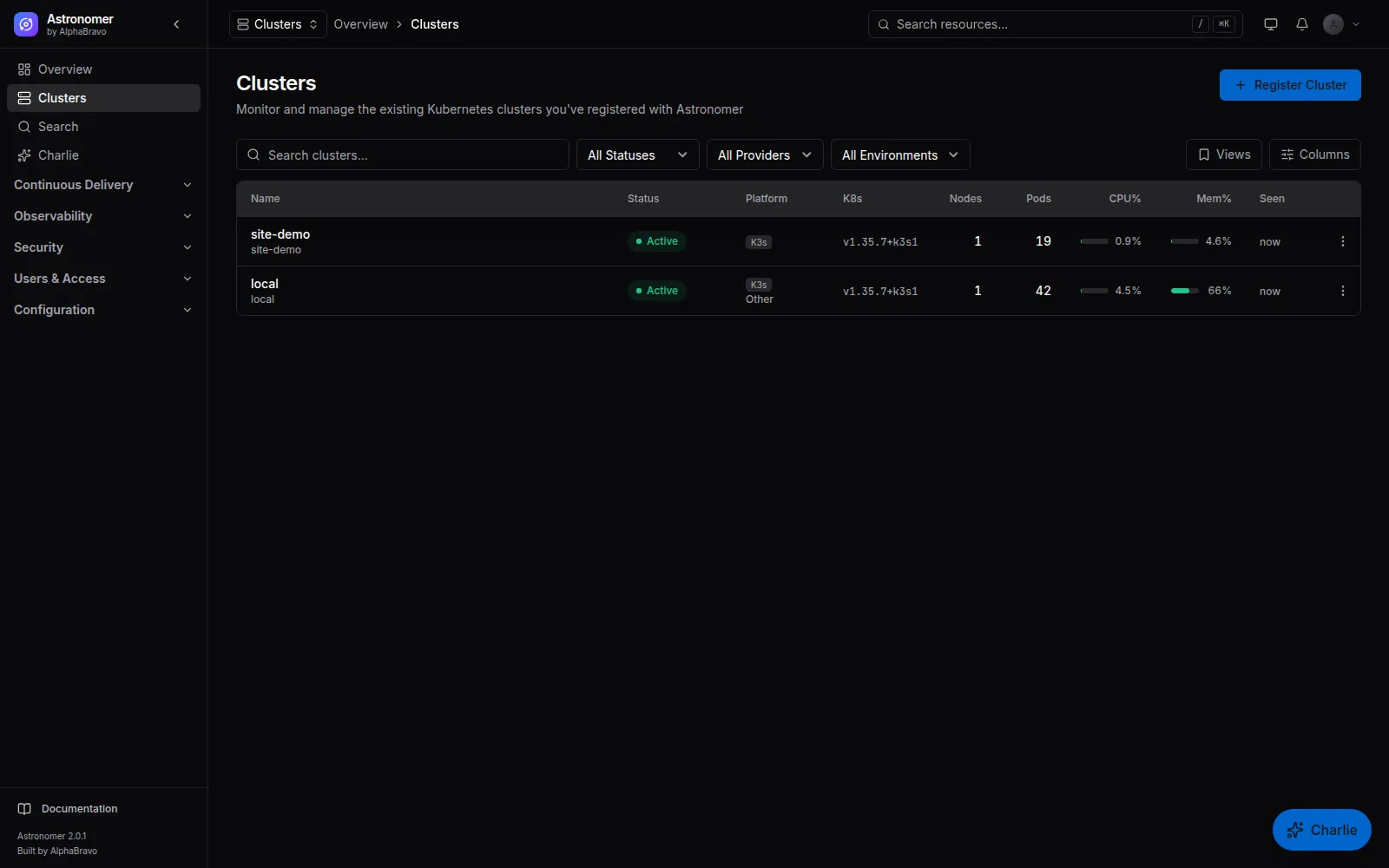
Astronomer starts where provisioning ends. Register an existing cluster, apply one manifest, and an outbound agent connects it to the management plane. From then on the cluster is in the inventory, reachable from the console and governed by the same rules as the rest of the fleet.
Alpha · Kubernetes v1.33–v1.35 · Shell off by default01 / REGISTRATION
Name the cluster, set its environment, choose whether to install the metrics baseline and image scanning, and add an HTTPS proxy if the cluster needs one to reach out. Astronomer renders an agent manifest with a signed, expiring registration. Apply it and follow the registration timeline as the agent connects and the baseline becomes healthy.
astro cluster manifest, a GitOps registration source or an optional Cluster CRD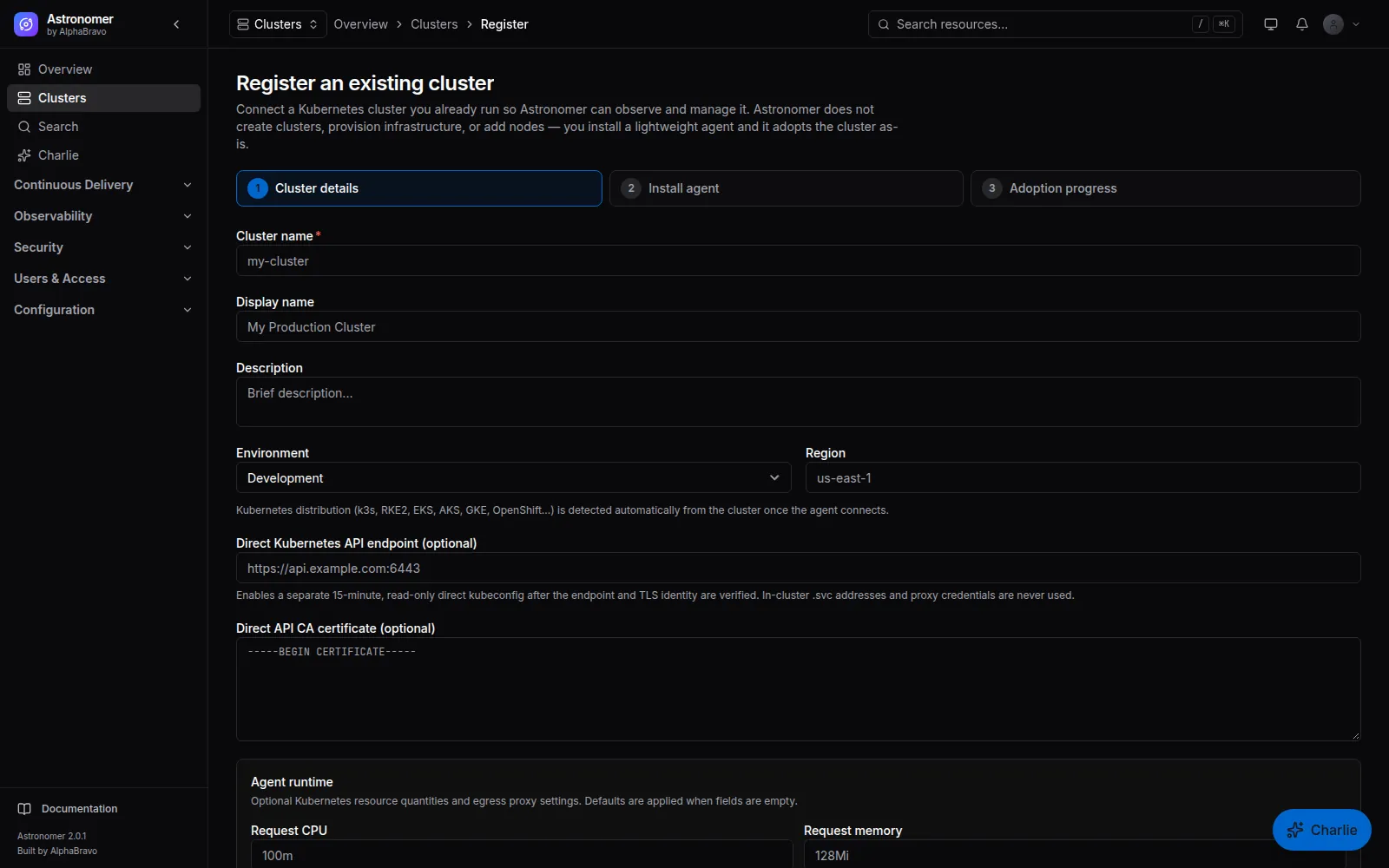
02 / THE AGENT
The agent runs inside the cluster and connects out to the management plane. Kubernetes API proxying, log streams, service proxying, health reports and delivery assignments travel over that connection, so the cluster does not need a public API endpoint or an inbound firewall rule.
The agent’s own role covers Kubernetes management. What a person can do through it is decided by their Astronomer grants: authorization and mutation audit happen before a request reaches the agent.
astro cluster self-test03 / WHEN A LINK DROPS
A disconnected cluster is marked as such and its last known state stays visible. Calls to it fail fast instead of hanging. Delivery keeps working locally: Flux on the cluster continues to reconcile the last accepted assignment, and newer versions are applied after the agent reconnects.
An agent that stops reporting raises a disconnected alert, with runbooks for one cluster or a mass disconnect.
Repeated tunnel failures open a circuit breaker so the console and API stop waiting on an unreachable cluster.
Released intent keeps converging on the cluster. New intent, approvals and central visibility wait for the management plane.
04 / CLUSTER EXPLORER
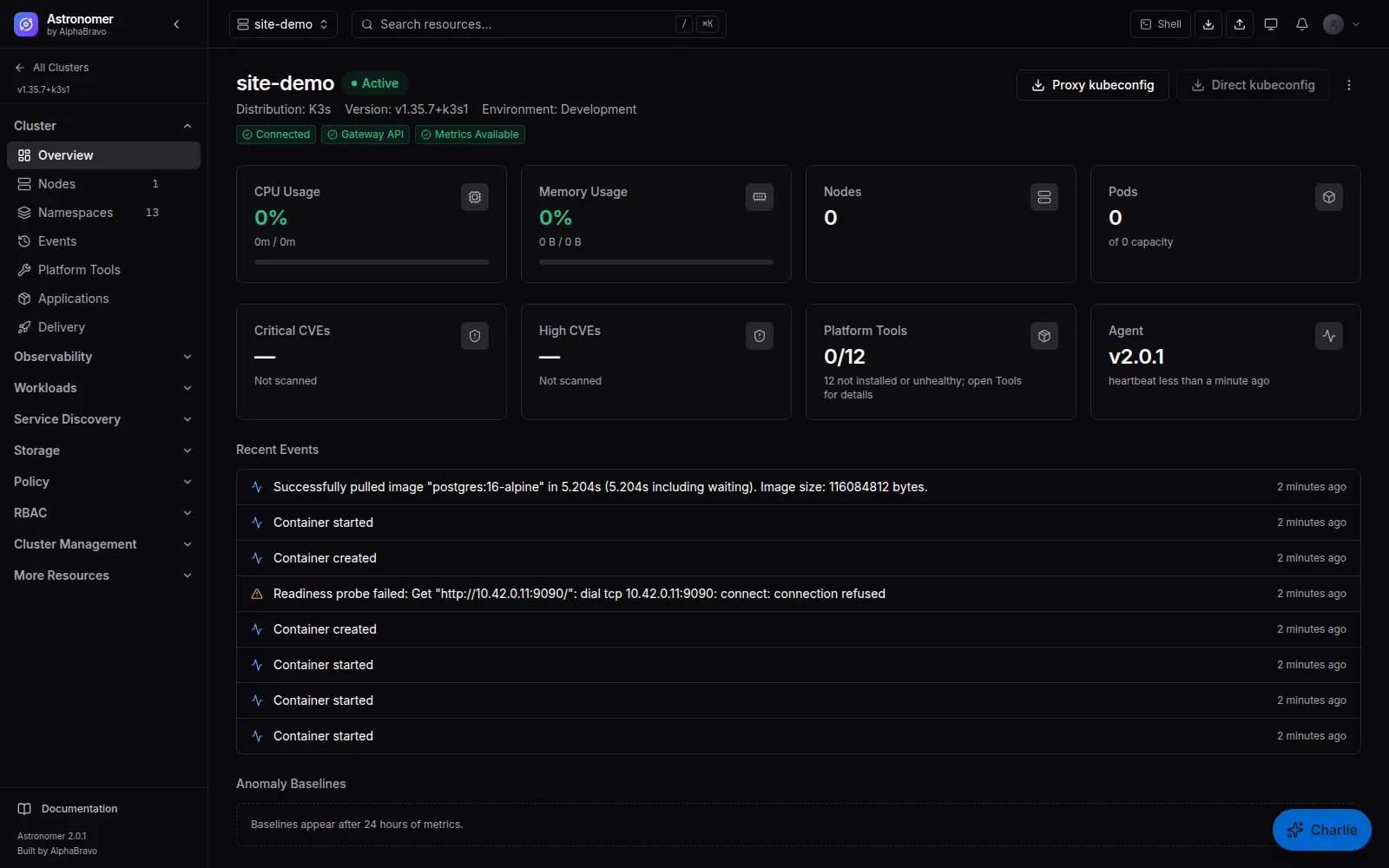
Open any adopted cluster to browse its namespaces, nodes, events, workloads, services, ingresses, Gateway API resources, storage, RBAC objects, network policies, quotas, PDBs, ConfigMaps, Secrets and custom resources, discovered from the cluster itself.
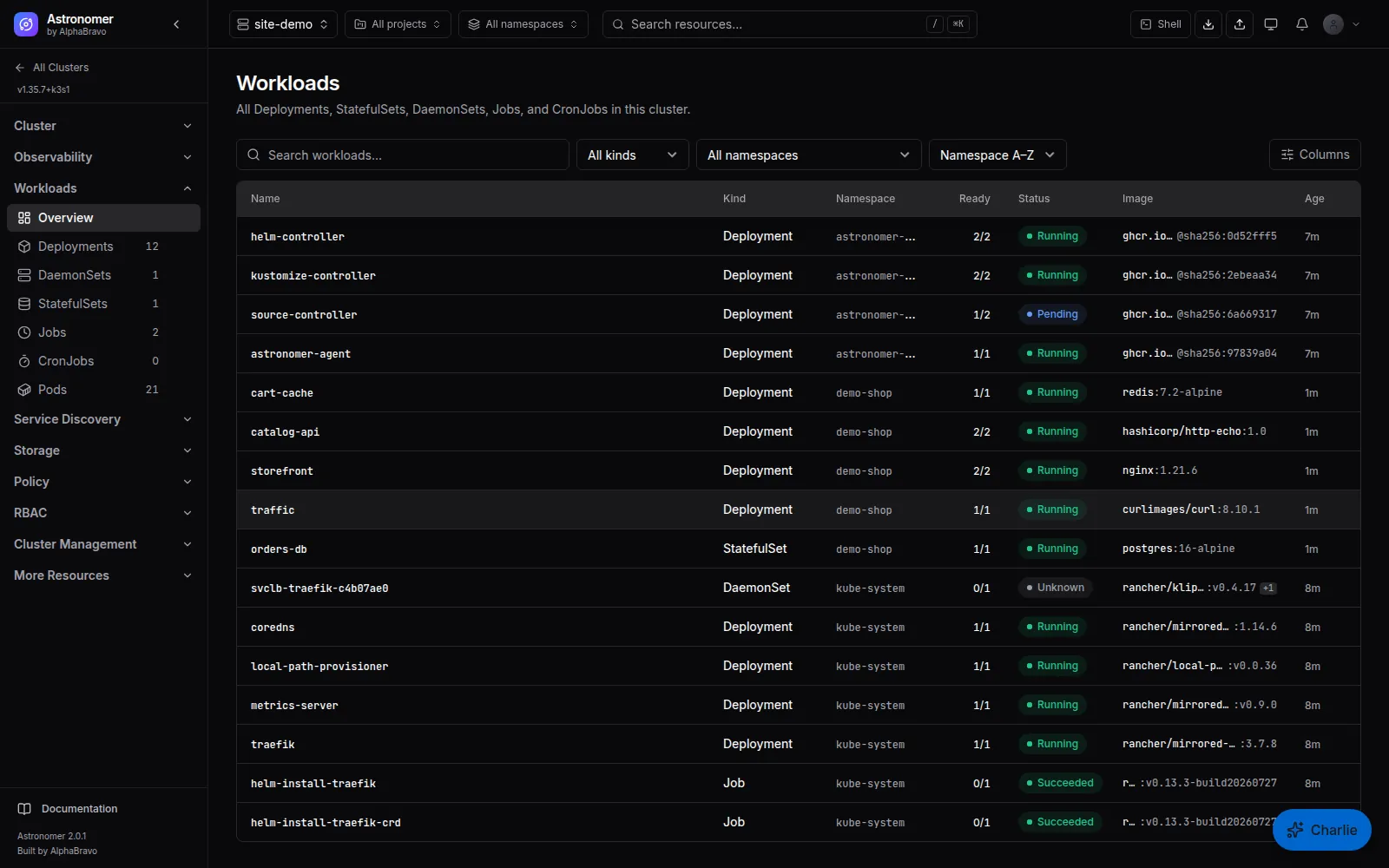
Guided forms for common resources and YAML for the rest. Changes run as strict dry-run, show a diff and apply server-side. Taking over a field owned by someone else is a separate, permission-gated and audited action.
Scale, restart, delete pods, bulk delete from tables with per-object results, cordon, uncordon, policy-aware drain, and label, annotation and taint changes.
Search Deployments, StatefulSets, Services, Ingresses, ConfigMaps, Secrets and more across every connected cluster, filtered by namespace and label selector.
Bulk scale and restart, and node changes, act on one object at a time today. Complex or non-structural CRDs may be easier to edit in YAML.
05 / SHELL AND KUBECONFIGS
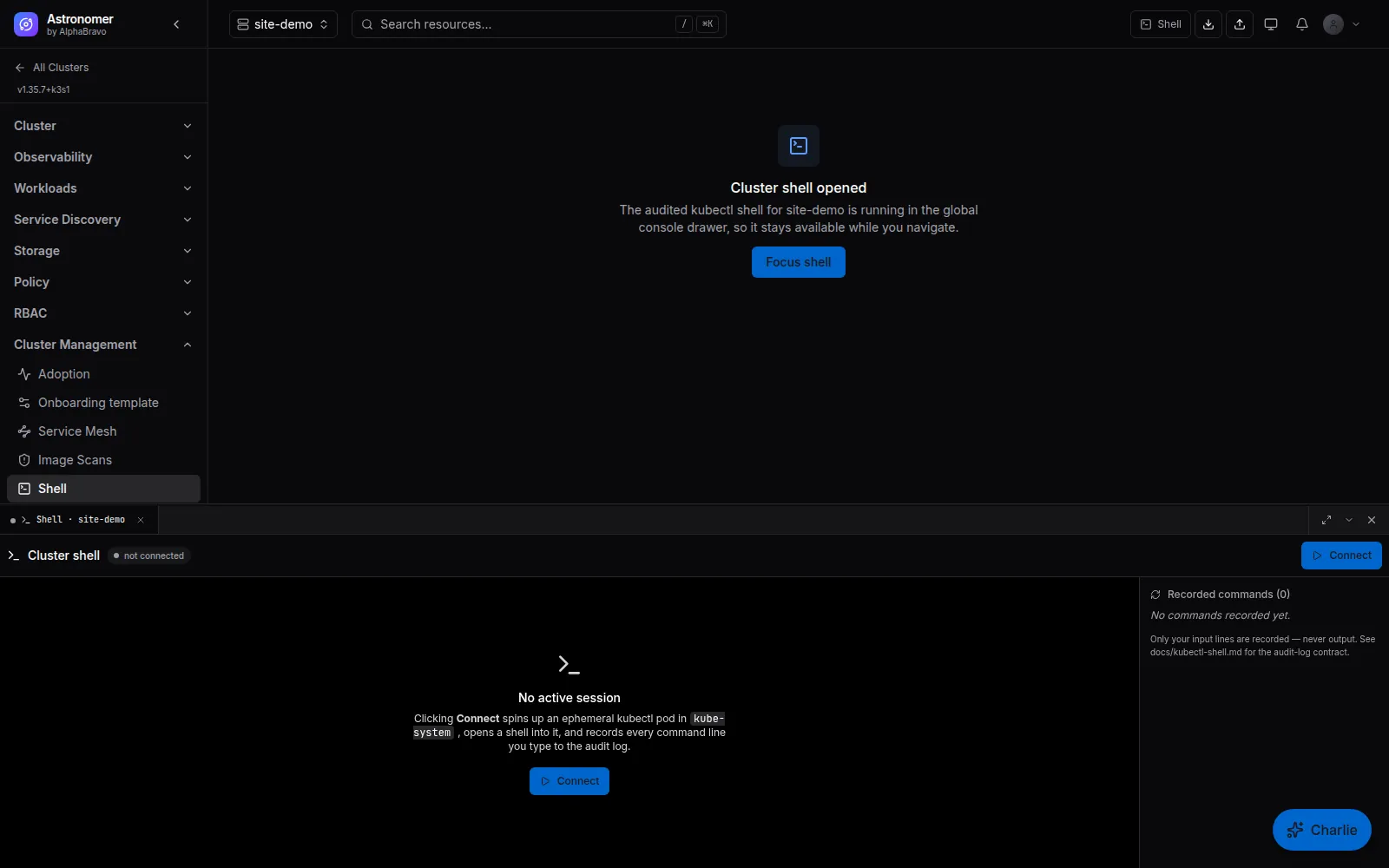
The browser shell starts an ephemeral pod in the target cluster and streams a kubectl session to your browser. It is read-only by default. Write access must be requested explicitly and is granted only up to what your Astronomer role allows; asking for more fails closed to read-only.
Each command line is recorded in the audit log. Output is never stored, so a get secret does not end up in an audit table. Sessions end after 30 idle minutes or four hours, by default.
The shell is off by default and is enabled in the Helm chart.
astro cluster shell <id>        # interactive kubectl session
astro k8s <id> get pods -A      # kubectl-equivalent passthrough
06 / KUBECONFIGS AND SERVICES
Short-lived, revocable, read-only kubeconfigs that route through Astronomer, so requests are authorized and audited there.
Where the cluster’s API is reachable, an authorized user can download a separately scoped, read-only direct kubeconfig that lasts 15 minutes.
Reach allowlisted in-cluster services through Astronomer instead of exposing each dashboard. Protected namespaces are refused and mutations are audited.
FAQ
Existing clusters on the supported Kubernetes versions, v1.33 to v1.35, however they were created. Cloud-provider acceptance runs are not complete yet, so check the status page and test your distribution during evaluation. #
The agent, the release-pinned Flux source, Kustomize and Helm controllers, and the Trivy Operator for image scanning unless you opt out. kube-state-metrics and the node exporter are added when you keep Quick Start selected. #
Astronomer distinguishes the management cluster from adopted member clusters. Some surfaces, such as image scans, are not shown for the management cluster today. #
Decommission is part of the registration lifecycle and is recorded, from the console, the API or astro cluster delete. Separately, a delivery target can orphan the workloads it manages, so Astronomer stops managing them without deleting them; that is a privileged, audited action. #
NEXT STEP
Tell AlphaBravo what you run today. We will show you the workflows that matter to your team.