Custom and curated
Create, edit, duplicate and delete custom roles, or apply curated project-role templates.
ASTRONOMER PRODUCT / GOVERNANCE & ACCESS
Decide who can do what, on which clusters and namespaces, from one place. Connect the identity provider you already run, give teams bounded projects on shared clusters, and keep a record of the actions that matter.
Alpha · SSO requires the bundled Dex tool · presets are not certifications01 / PROJECTS
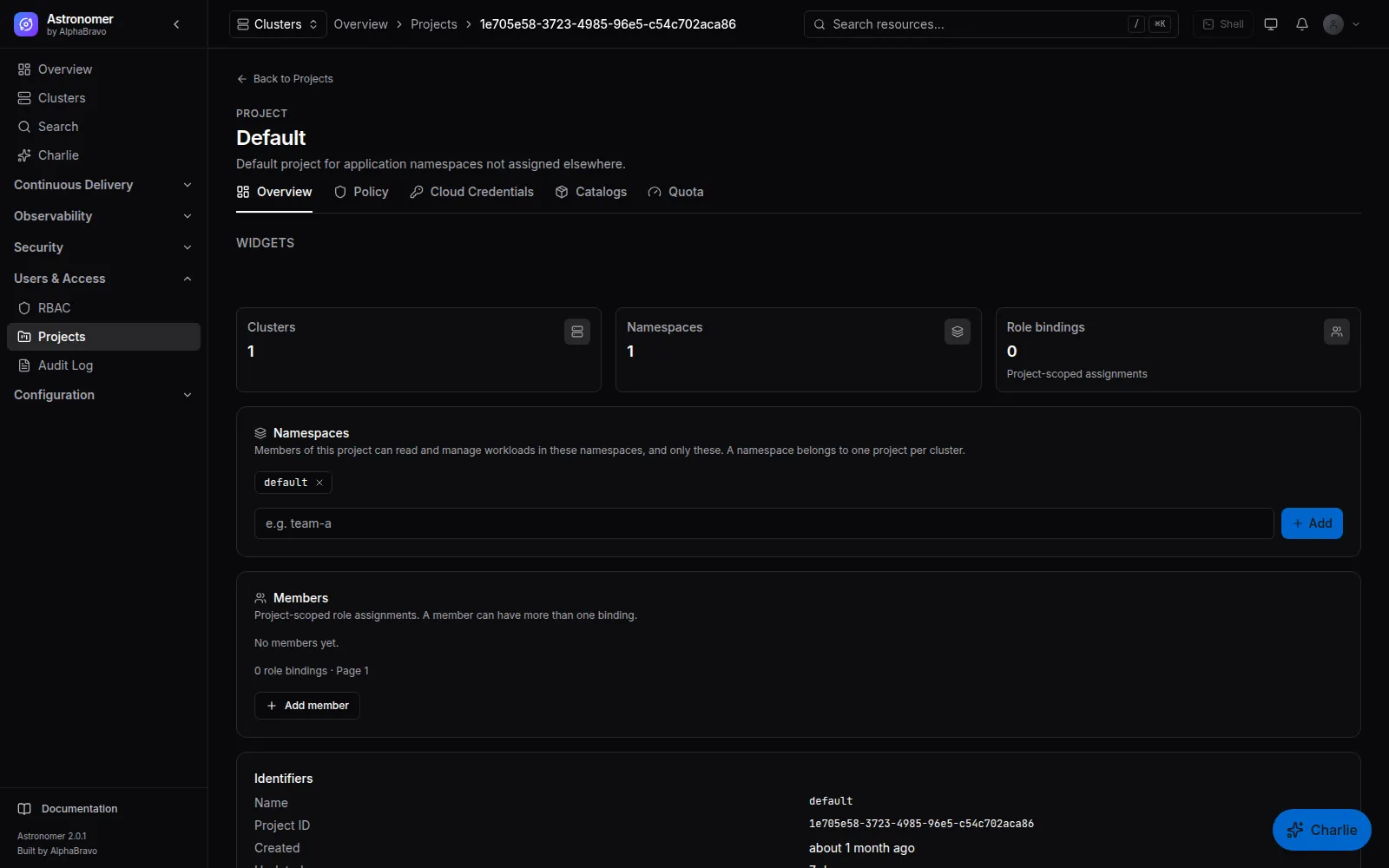
A project groups namespaces across clusters and gives a team its own members, quotas, policy, catalogs and cloud credentials. Platform teams hand out capacity without handing out the whole cluster.
02 / RBAC
Roles are granted globally, on a project, on a cluster or on a namespace. The console is permission-aware, so people see the actions they can take. The effective-permission view explains every grant a person holds and the binding it came from.
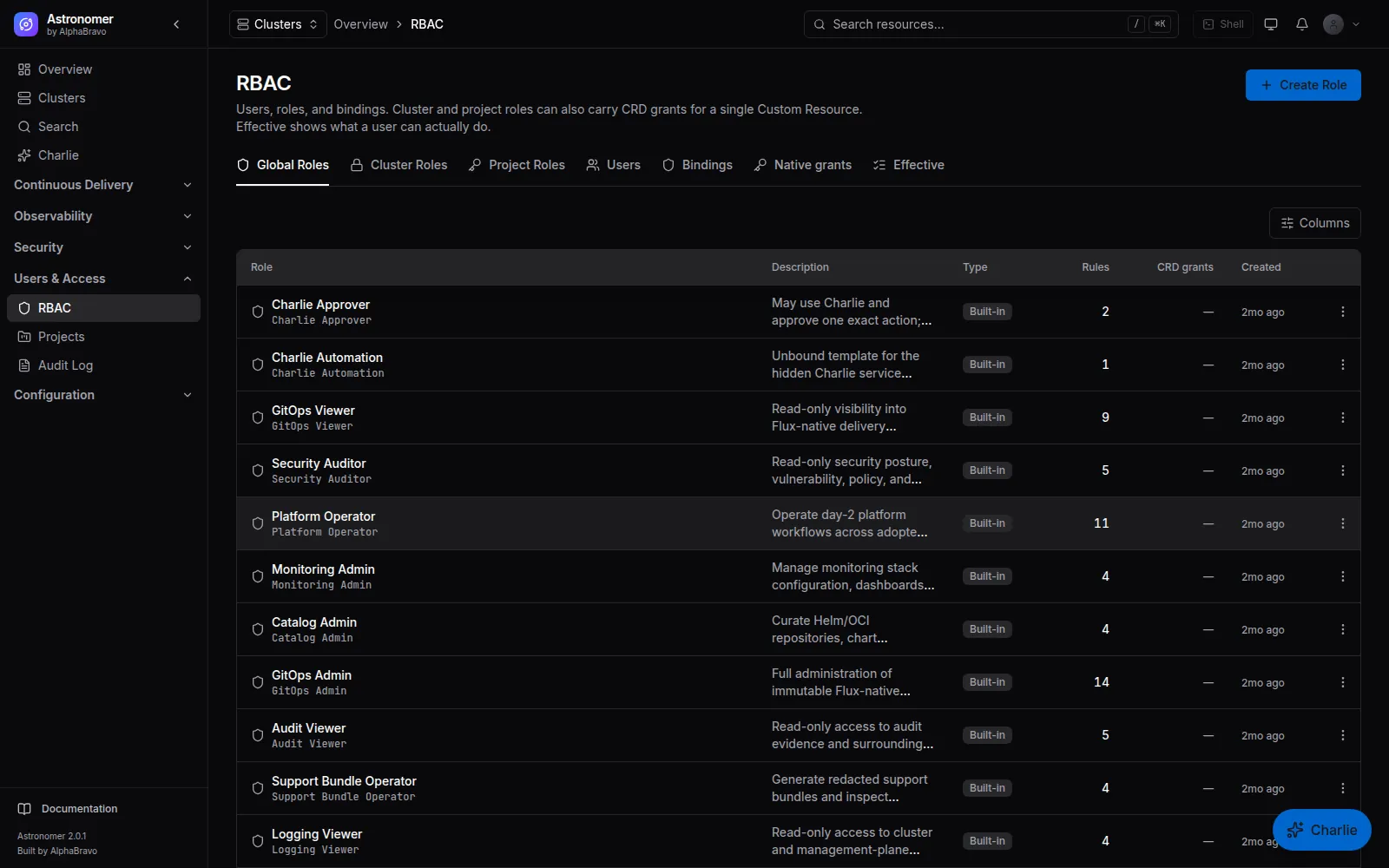
Create, edit, duplicate and delete custom roles, or apply curated project-role templates.
Authorization and tenant scoping are invariants, checked before a request reaches a cluster. Missing authorization fails closed.
Directory search for assigning people is audited. Pre-login discovery works with LDAP connectors; others say it is unsupported rather than guessing.
03 / IDENTITY
Single sign-on runs through Dex, installed and configured from Astronomer. Map identity-provider groups to Astronomer roles, and provision users and groups with SCIM.
Generic OIDC, Okta, Microsoft Entra ID, GitHub, GitLab, Bitbucket Cloud, Google Workspace, SAML 2.0, LDAP or Active Directory, and generic OAuth.
SCIM Users and Groups with scoped SCIM tokens, plus group mappings from your provider to Astronomer roles.
Email sign-in with HttpOnly session cookies, password policy, lockout, TOTP with recovery codes and session revocation.
Automation uses revocable, scoped API tokens, not credentials lifted from a browser session.
Dex is off by default in the management Helm chart; enable it to use SSO connectors. Upstream identity-provider availability is outside Astronomer.
04 / AUDIT
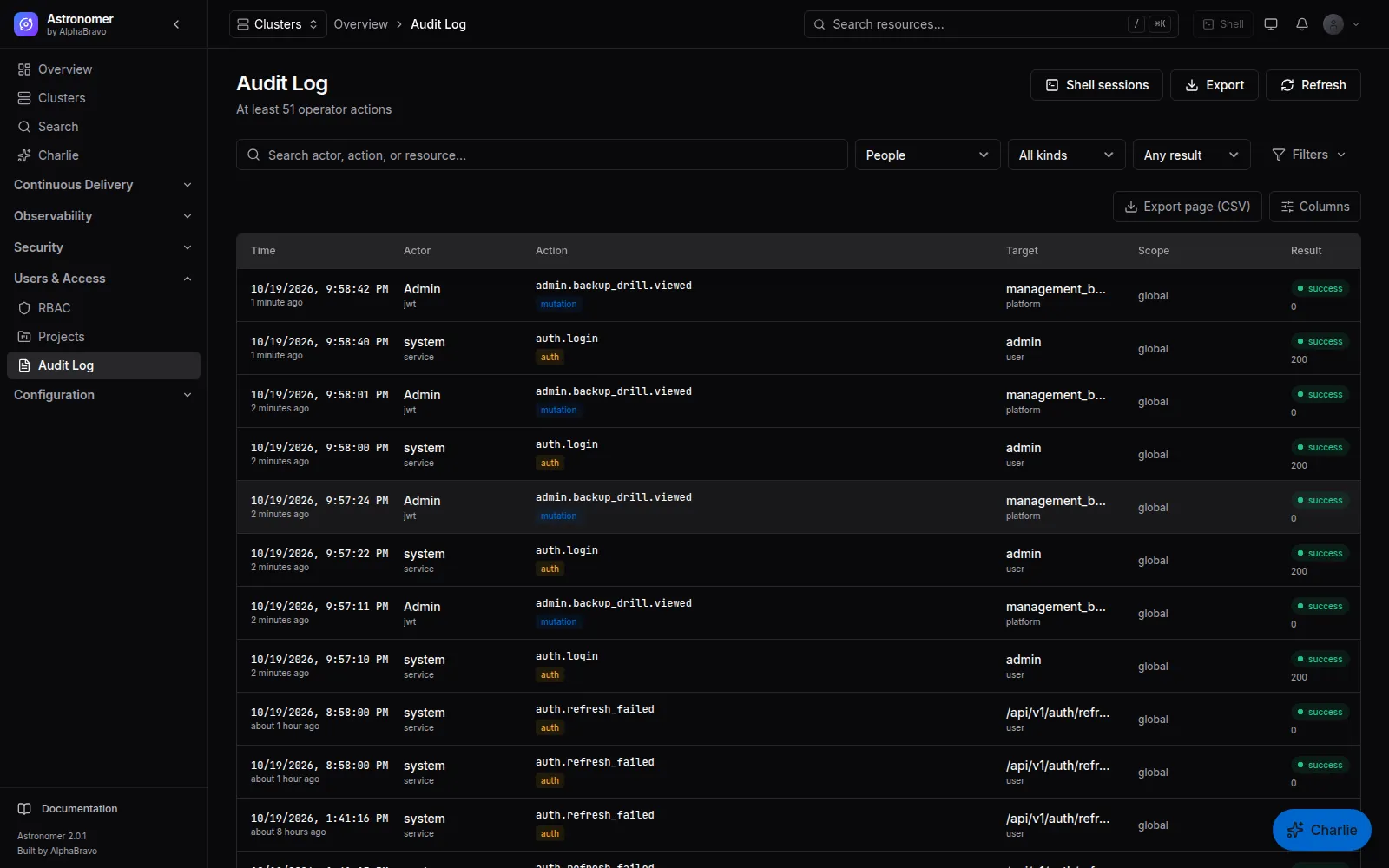
Astronomer records material reads, writes, secret access, service proxy mutations, shell sessions, delivery operations, RBAC changes and administrative actions. Recording a change’s intent is fail-closed: if the audit record cannot be written, the change does not proceed.
Audit events leave through a durable outbox, so a worker restart does not drop them. Read-audit policies add scrutiny to sensitive reads, and events forward to your SIEM over syslog, Splunk HEC or NDJSON HTTPS.
Not every domain change writes its audit row in the same database transaction yet. Monitor receipt at your SIEM.
05 / COMPLIANCE PRESETS
Settings › Compliance › Baselines applies a preset to audit retention, the Pod Security profile, two-factor and email settings, quota plans and templates. The previous values are captured first, so an application can be reverted. A preset that would shorten audit retention is refused.
| Preset | Audit retention | Pod Security profile | TOTP required |
|---|---|---|---|
| PCI DSS 4.0 | 365 days | restricted | yes |
| HIPAA | 2,190 days | restricted | yes |
| FedRAMP Moderate | 1,095 days | restricted | yes |
| SOC 2 (Type II) | 365 days | baseline | no |
Presets configure Astronomer. They do not certify a deployment, and the FedRAMP Moderate preset does not claim FedRAMP authorization or FIPS validation.
FAQ
Astronomer checks its own grants before a request reaches the agent. For the browser shell, it renders a short-lived Kubernetes role that is the intersection of the requested access and your grants. Namespace-scoped behavior depends on what the operation and agent can enforce. #
Yes. With the optional CRDs enabled, a Project resource under management.astronomer.io/v1alpha1 declares project policy, quotas, network-policy and pod-security posture and cluster membership. REST and UI changes cannot silently overwrite CRD-owned fields. #
Grant a role with read permissions only, at the scope they need. Read-audit policies can record what they look at. #
NEXT STEP
Bring your identity provider, tenancy model and audit requirements. We will map them to Astronomer.